Everything between the sale and the sales book.
Invoicing, marketplace uploads, store connections, returns and books in one system, designed around how Philippine businesses are required to keep records.
Invoices you can stand behind
Every invoice gets the next number in your sequence and stays exactly as it was issued.
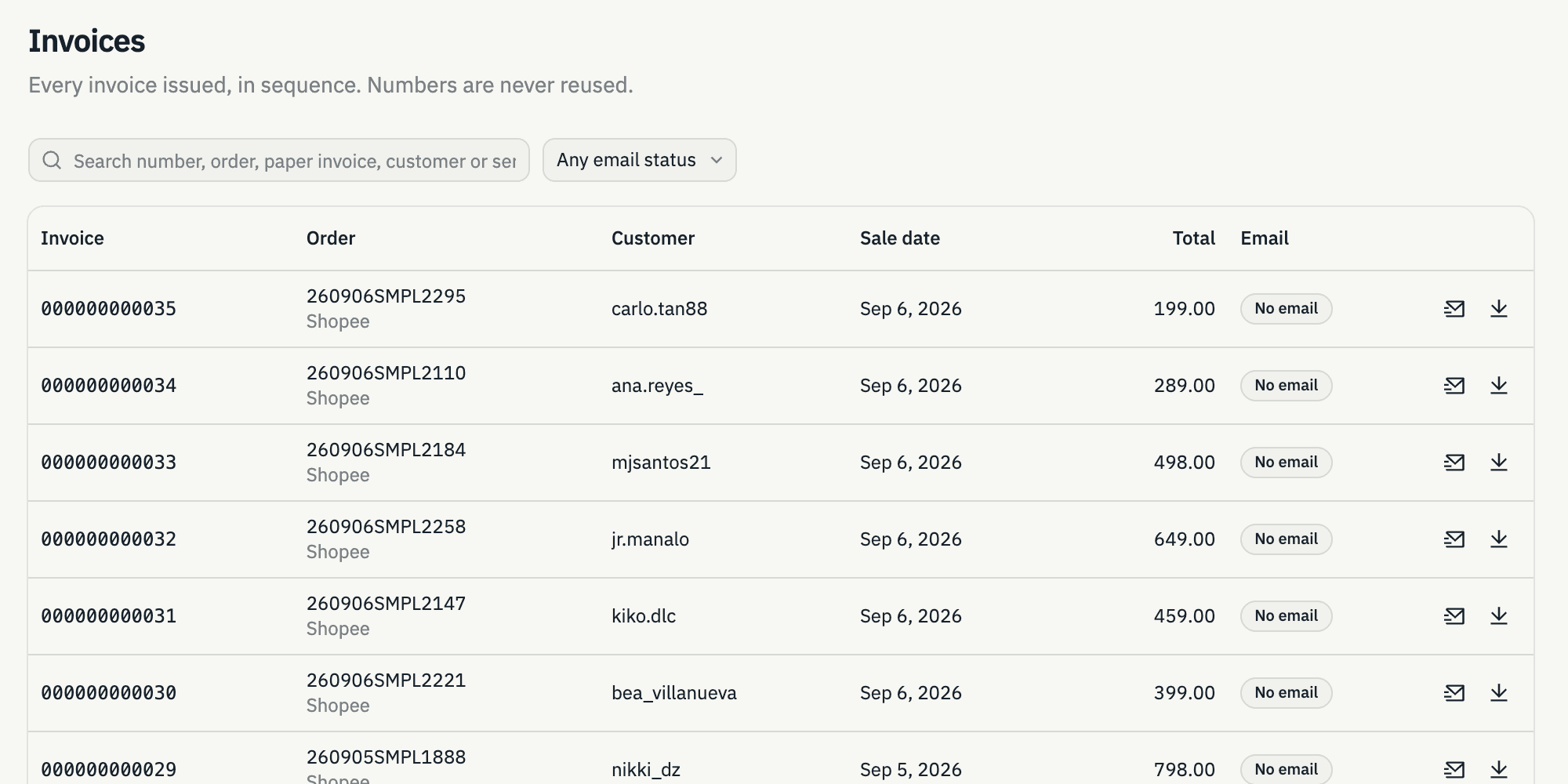
- Numbered in order
- Numbers are assigned in order and never reused. Cancelled invoices keep their place in the sequence.
- Cancel, never delete
- Cancelling needs a written reason and the PIN of an authorized manager, from any branch.
- PDF invoices, delivered
- Each invoice is generated as a PDF and emailed to the customer as soon as it’s issued, when you have their address.
- Bring in paper invoices
- Record invoices you issued on paper before switching. We keep the original number as a reference beside the new one.
- Payment modes
- Record cash, credit, financing or terms on each invoice, and see today’s totals by payment mode.
- Download in one go
- Download every invoice for a date range in one go when you need to print or file them.
Your marketplace reports, invoiced
Upload the order reports you already export. We already know each marketplace’s file, so there’s nothing to set up.
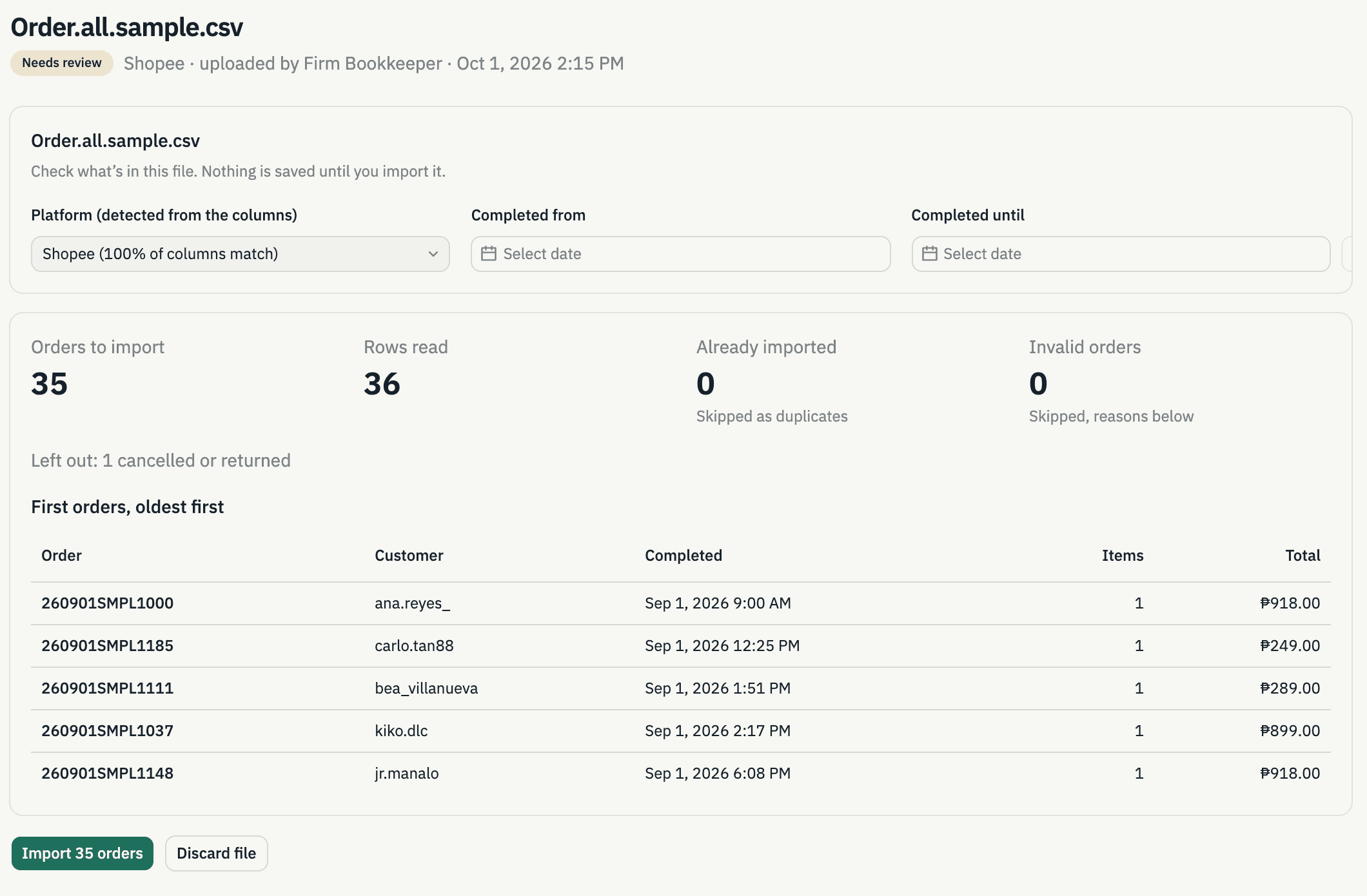
- Lazada, Shopee and TikTok Shop
- Upload the Excel or CSV file straight from each seller center. No editing needed.
- Review before anything counts
- Imported orders wait until your team has checked them and gives the go signal to invoice.
- Big files, no waiting around
- Thousands of orders? Keep working while they’re processed. You can see how far along it is, and you’re notified when it’s done.
- Walk-in and phone orders
- Encode sales that don’t come from a marketplace, picking items from your own product list.
Connected to the systems your branches already use
Your Order Slip and Delivery Receipt systems send their records to The Cloud CAS as they happen.
- Order Slips become orders
- Each Order Slip arrives as a draft order, and can be invoiced right away if you choose.
- Delivery Receipts attach to invoices
- A DR, with its serial numbers, is attached to the invoice it belongs to. The invoice itself is never changed.
- A private, secure connection
- Each company gets its own protected connection, so only your systems can send records in.
- No need to change your system
- We work with the details your current system already sends, or you can use our standard format.
Returns handled line by line
Return one item from an invoice without cancelling or reissuing the rest.
- Find the sale fast
- Search by customer, transaction details or the item’s serial number from its Delivery Receipt.
- Credit memos
- Numbered in order, covering only the returned items, with the reason and proof attached.
- Refund vouchers
- Issue a numbered voucher for the cash refunded, with the same cancellation rules as invoices.
- Signed copies on file
- Upload the scanned, signed memo and voucher so they’re kept with the sale.
Books that write themselves
Your sales books and reports come from the same records as your invoices, so they always agree.
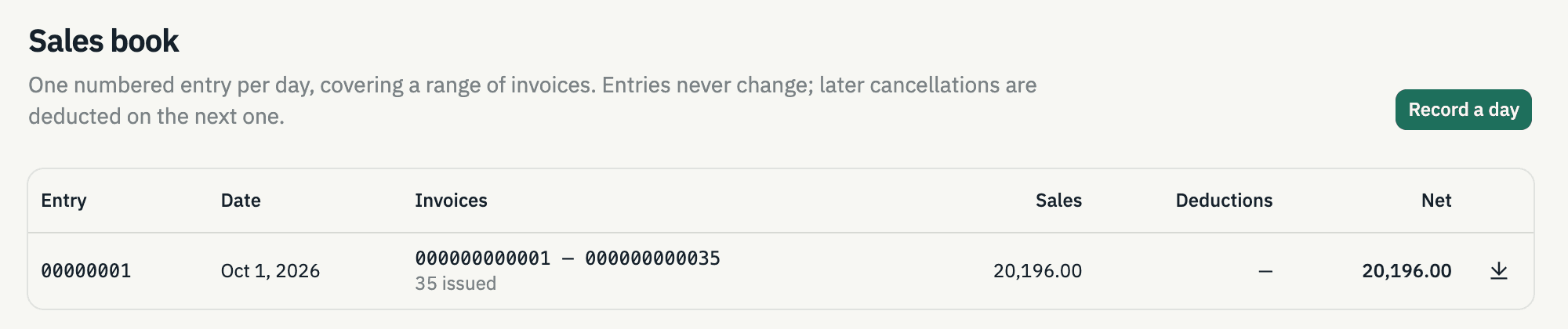
- Daily sales book
- Record each day in one click. Anything cancelled later is subtracted on the next day’s entry.
- Summary list of sales
- The period summary you need for filing, built from issued invoices.
- Sales reports
- See sales by date and by marketplace, and download a spreadsheet for your accountant.
- Ready to print
- Books and documents download as PDFs, ready to print or hand to your examiner.
The right people, the right access
Each company’s records are kept separate, and everything anyone does is recorded.
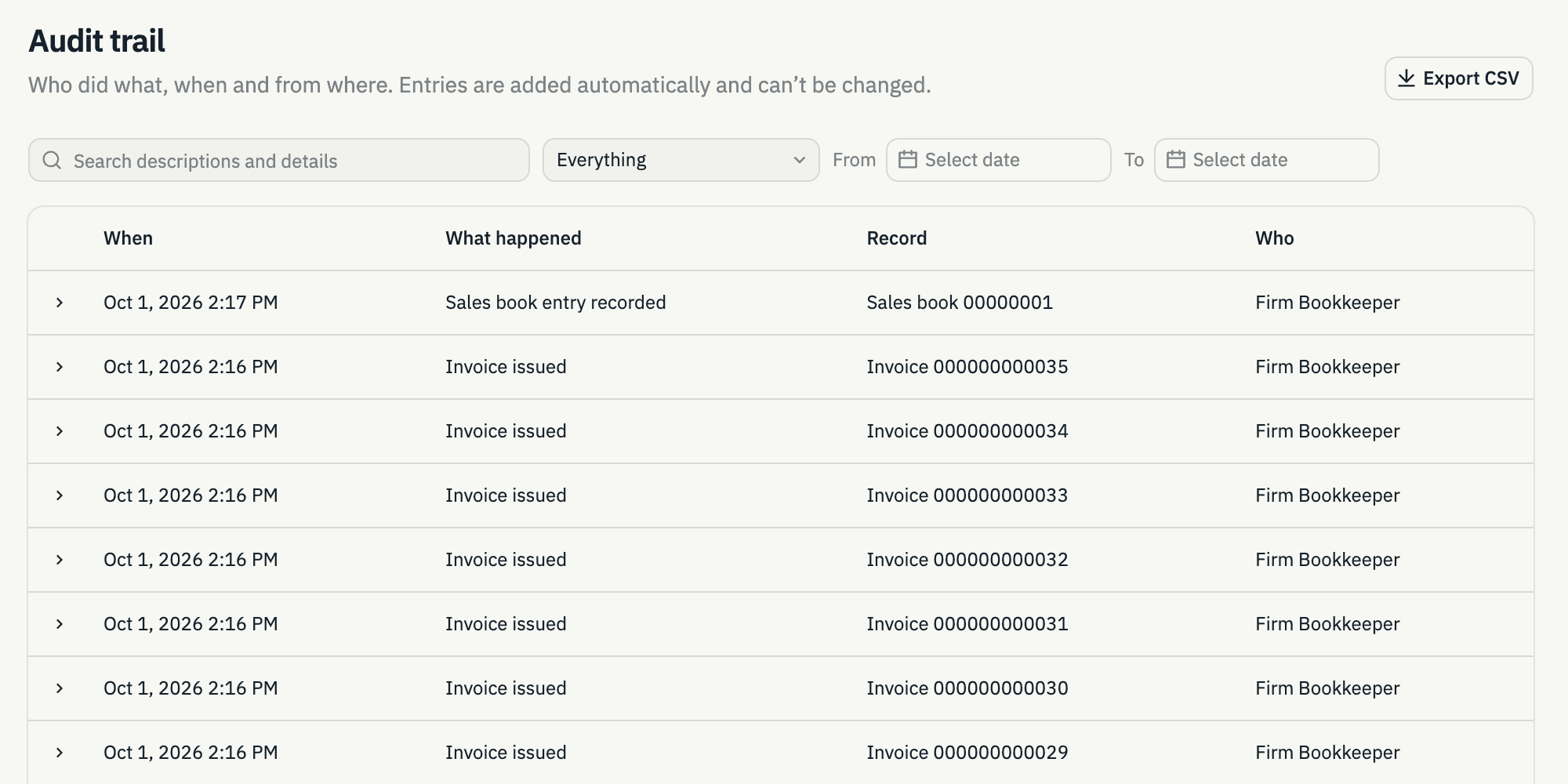
- Full audit trail
- See who created, issued, cancelled or emailed each document, and when.
- The right access for each person
- Decide who can only view, who can encode, and who can issue or cancel invoices, company by company.
- Extra login protection
- Add a second check at login using an app on your phone, with backup codes in case you lose it.
- Many companies, one login
- Switch between the companies you work for without ever mixing their records.
What we’re building next
These aren’t available yet. We’re listing them so you know where the product is headed. Ask us about timing.
Sending invoices to the BIR (EIS)
Issued invoices go straight to the BIR’s Electronic Invoicing System, with nothing for you to upload.
PendingOrders straight from your shops
Orders come in from Lazada, Shopee and TikTok Shop on their own, with no report to download.
Pending
Request for demonstration
See your own sales become invoices.
Book a walkthrough with our team. Bring a sample marketplace report or a day of store sales and we’ll show you how it runs through The Cloud CAS.